Home networking - Devices and concepts
Your ISP issues you a gateway device
For households that need stronger wireless
For households that need stronger wireless
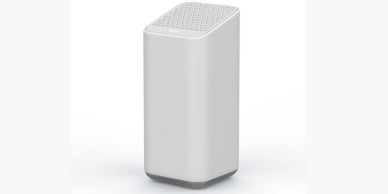
This is the Comcast gateway, which functions as both a modem and a wireless router. It's sufficient for most homes, especially in comparison to Mediacom's and Centurylink's gateways, which are weaker but also adequate. For those needing better coverage, integrating mesh network systems or using WiFi extenders can enhance connectivity throughout larger spaces.
For households that need stronger wireless
For households that need stronger wireless
For households that need stronger wireless
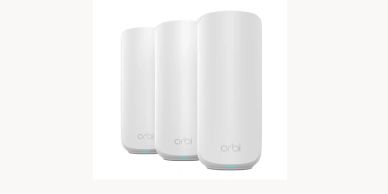
You can add a 3rd-party mesh network system (such as Netgear, Google, or Linksys) if a) your Comcast gateway isn't up to the task or b) you are only using a modem. The typical cost for these WiFi extenders is $300 or more.
For a 'dead zone'
For households that need stronger wireless
For a 'dead zone'
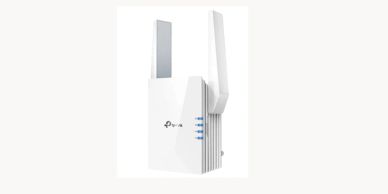
If you have a section of your house where the WiFi signal isn't strong, using WiFi extenders can help. These devices are compatible with any Comcast gateway and can enhance your connection. However, be cautious with your budget; anything less than $80 might not provide the quality you need, especially when considering mesh network systems for optimal coverage.